
How I Use the Outfit Label Feature to Drive Traffic and Monetize on TikTok
Real case study: Using AI outfit label feature to quickly create kids' fashion content on TikTok, build a parenting fashion account, and monetize through affiliate marketing.
Why Choose Kids' Fashion Niche?
On TikTok and Xiaohongshu, kids' fashion is an extremely popular niche. The reasons are simple:
- Precise Target Audience: Moms have strong purchasing desire and high conversion rates
- Low Content Production Barrier: No professional models needed, your own kid is the best showcase
- High Repeat Purchase Rate: Kids grow fast, clothes need constant updating
- Strong Emotional Connection: Cute kids' outfits naturally attract attention
What is the Outfit Label Feature?
FavCraft's 'Outfit Label' feature automatically adds professional clothing annotations to your outfit photos, just like those professional fashion bloggers' outfit breakdown posts:
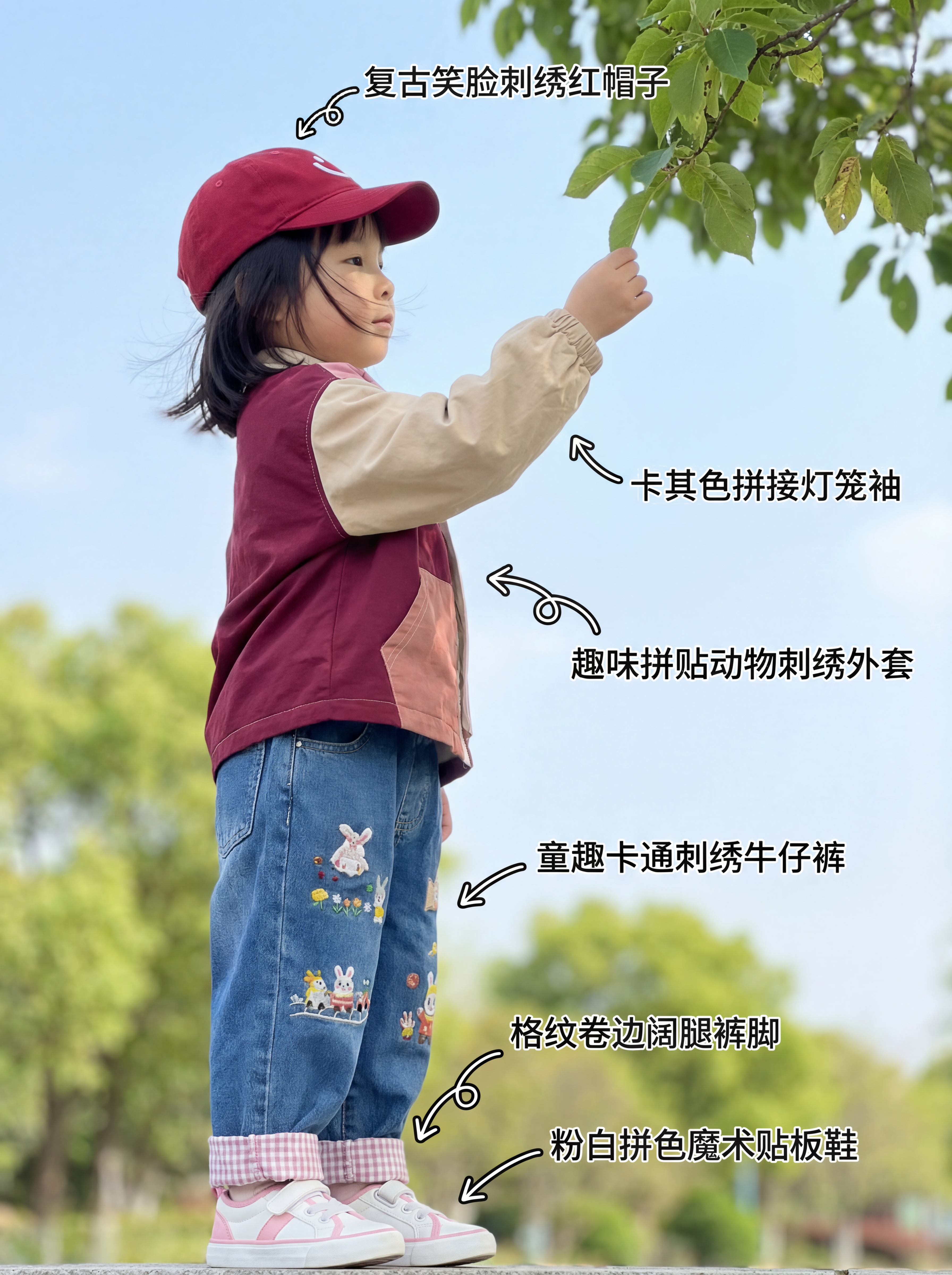
See this image? Every item has detailed annotations:
- Vintage Smiley Embroidered Red Cap
- Khaki Color Block Lantern Sleeves
- Fun Patchwork Animal Embroidery Jacket
- Playful Cartoon Embroidered Jeans
- Plaid Rolled-up Wide-leg Cuffs
- Pink-White Color Block Velcro Sneakers
These professional annotations not only make content look more professional, but also directly guide users to click and purchase!
Multi-angle Display for Better Conversion
One outfit can generate multiple annotated images from different angles, forming a complete content carousel:
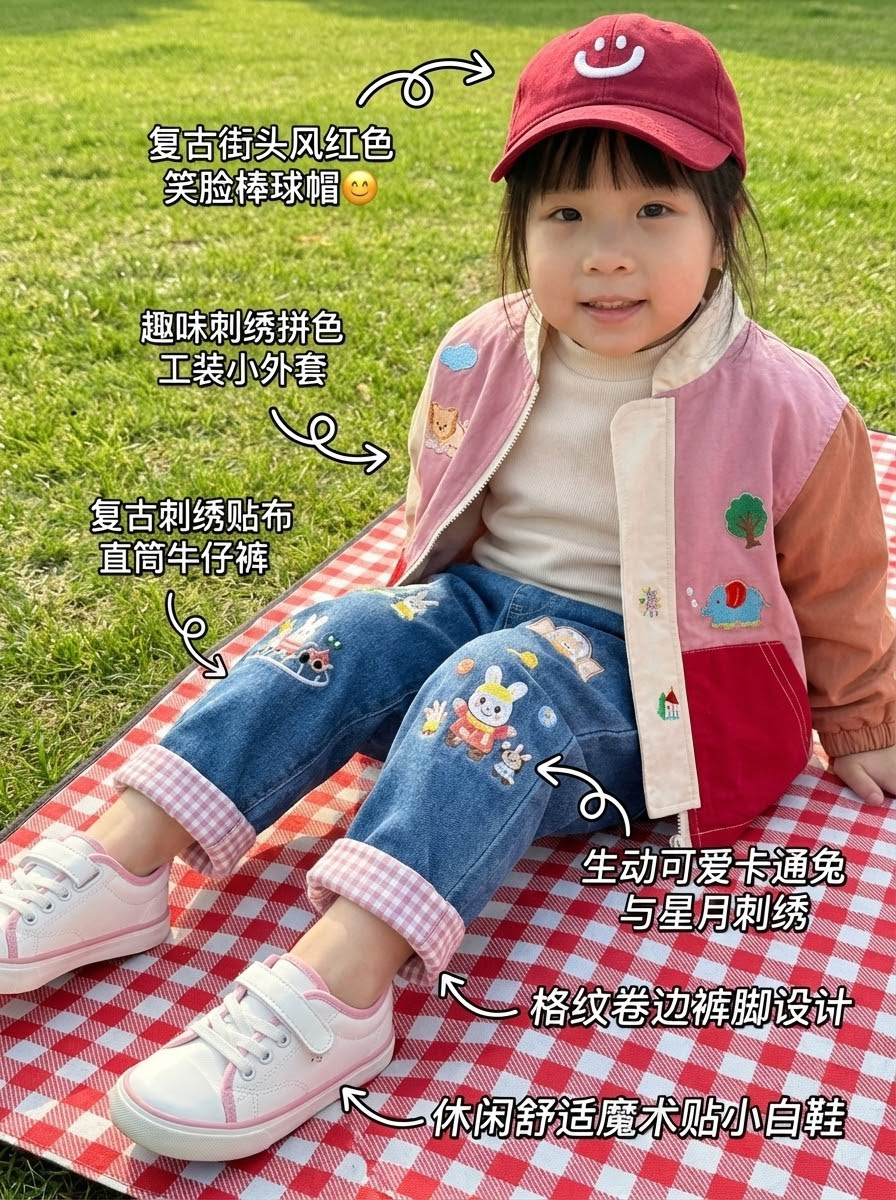
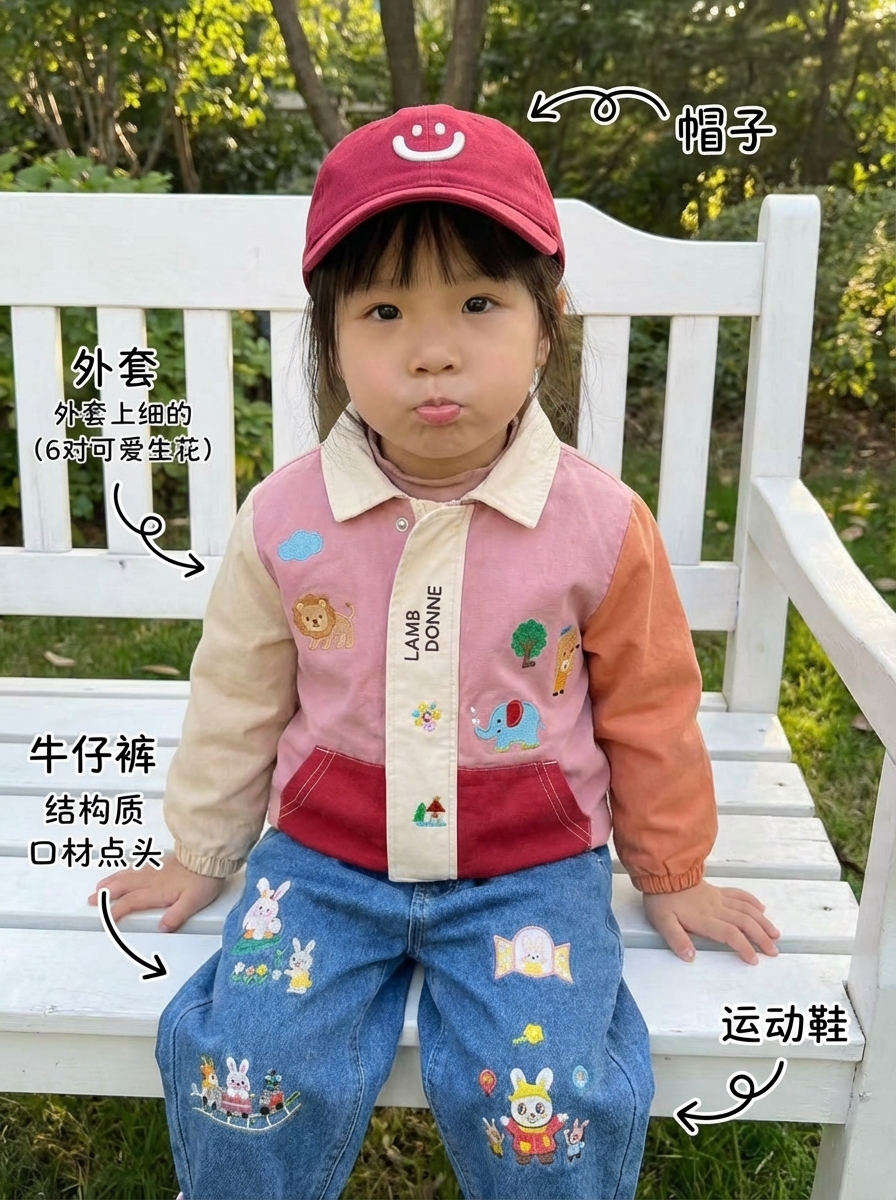
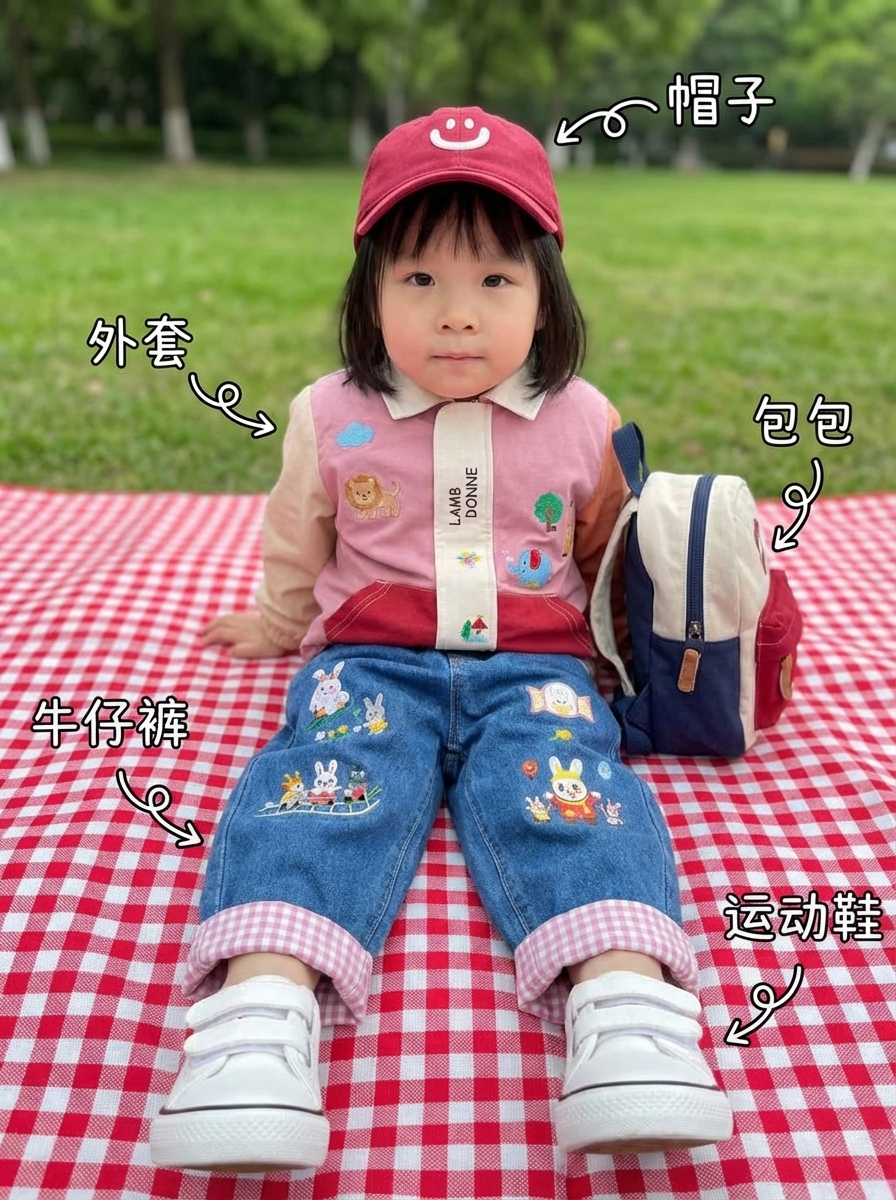
Same outfit, different scenes and angles - each is a standalone piece of shopping content!
Pair with Flat Lay Photos
Besides wearing photos, you can also pair with flat lay photos so users can see item details more clearly:
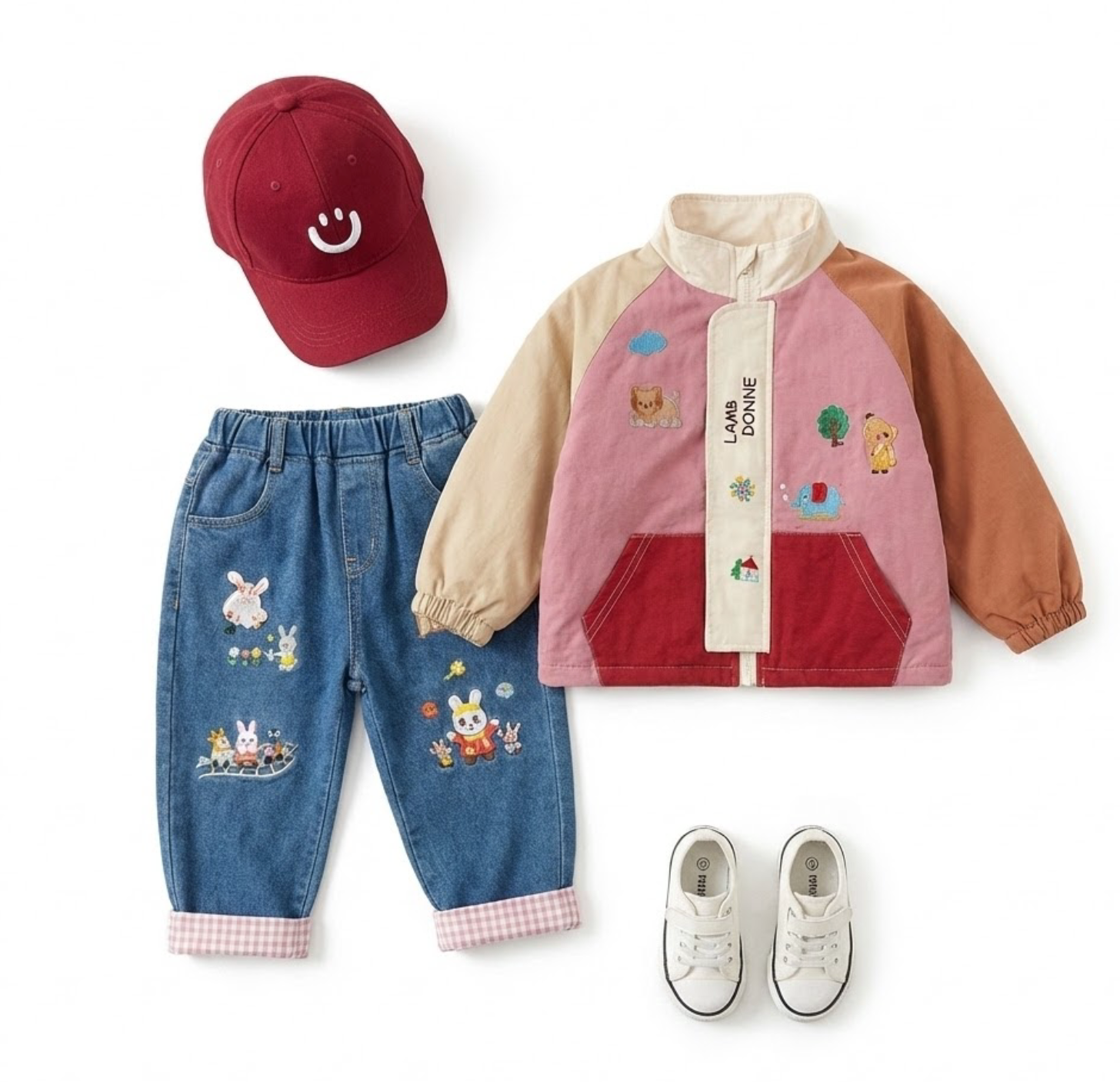
This combination is particularly popular on TikTok and Xiaohongshu, effectively improving purchase decisions.
How to Use the Outfit Label Feature?
Step 1: Upload Images
Prepare a photo of the child and a clothing image you want to showcase. The photo can be from before, the clothing image can be a product photo.
Step 2: Select 'Outfit Label' Style
In the style selector, choose 'Outfit Label', and the system will automatically identify clothing and generate professional annotations.
Step 3: Enter Scene Description
For example: 'Park picnic, outdoor sunshine, warm atmosphere', AI will generate images matching the description.
Step 4: Download and Post
Generated images can be directly posted to TikTok, Xiaohongshu and other platforms - start your shopping content journey!
Monetization Models
1. Storefront Affiliate
TikTok and Xiaohongshu both support storefront features - add product links in content and users can order directly.
2. Brand Partnerships
Once your account has a follower base, kids' fashion brands will reach out for partnerships - paid posts or commission-based.
3. Private Traffic
Attract precise mom audiences through content, funnel to WeChat private groups for long-term customer relationships.
Content Creation Tips
1. Keep Style Consistent: Use the same annotation style to build account recognition
2. Diversify Scenes: Indoor, outdoor, parks, malls - make content richer
3. Highlight Selling Points: Emphasize materials and design highlights in annotations
4. Drive Engagement: Ask 'which one do you like?' in captions to boost interactions
Start Your Shopping Content Journey Now
Kids' fashion is a low-barrier, fast-monetization niche. Using FavCraft's 'Outfit Label' feature, you can quickly create professional shopping content and build your own parenting fashion account on TikTok. Try the Outfit Label generator now and start now!
Try AI Image Generation Now
Start using FavCraft to generate professional illustrations for free
Start Creating